 ____  _____ _   _ ___ _   _     _   _
|  _ \| ____| \ | |_ _| \ | |   | | / \
| |_) |  _| |  \| || ||  \| |_  | |/ _ \
|  _ <| |___| |\  || || |\  | |_| / ___ \
|_| \_\_____|_| \_|___|_| \_|\___/_/   \_\
Reninja is a complete reimplementation of the Ninja build system focused on correctness, remote caching, remote execution, and build telemetry.
- Drop in replacement for Ninja - If it works in Ninja, Reninja will build it too. By default, all flags and options are honored, even the hidden 🐢 ones.
- Build visibility - use the timing profile (flame graph) to visualize the slow parts of the build and fix them.
- Remote caching - allows for massive reductions in CPU usage and drastically reduces build times by not building the same thing twice.
- Remote execution - run builds with massive parallelization (
-j 2000) to speed them up. Build LLVM, from scratch, in 3 minutes! - Extensive unit and integration tests - all Ninja tests were ported over, and new ones added for Reninja-only functionality. Additional parity tests ensure that Reninja and Ninja produce the same outputs.
go install github.com/buildbuddy-io/reninja/cmd/reninja@latestThis does the exact same thing as ninja.
reninja reninja --bes_backend=remote.buildbuddy.io --results_url=https://app.buildbuddy.io/invocationThis will show basic information about the build and allow for later analysis of build time trends. Example build
reninja --bes_backend=remote.buildbuddy.io --results_url=https://app.buildbuddy.io/invocation --remote_cache=remote.buildbuddy.ioThis will show more information about the build (including the timing profile!) and allow for reusing cached results from previous builds which is significantly faster than building from scratch. Example build

Build with remote execution (see Remote Execution below for details)
  SRC=$PWD
  BUILD_DIR=$SRC/build-rbe
  mkdir -p "$BUILD_DIR"
  docker run --rm \
	  --user "$(id -u):$(id -g)" \
	  -v "$SRC:$SRC" \
	  -v "$(which ninja):/usr/local/bin/ninja:ro" \
	  -w "$BUILD_DIR" \
	  gcr.io/flame-public/rbe-ubuntu22-04:ninja \
	  cmake -G Ninja \
		-DCMAKE_SUPPRESS_REGENERATION=ON \
		"$SRC"
  reninja -C $BUILD_DIR --bes_backend=remote.buildbuddy.io \
	  --results_url=https://app.buildbuddy.io \
	  --remote_executor=remote.buildbuddy.io \
	  --container_image=gcr.io/flame-public/rbe-ubuntu22-04:ninja \
	  --remote_header=x-buildbuddy-api-key=YOUR_API_KEY_HERE \
	  -j 1000
This will run all build actions remotely and download the results of each action. Example build
Reninja owes its existence to the original Ninja Build System and all credit goes to the original author and many open source contributors. All bugs / mistakes are my own.
Ninja is an excellent and simple build tool. Many projects have modified it to add in various forms of observability or remote execution. I wanted to roll up some of those improvements in one place and also add proper support for remote caching and remote execution, which do not cleanly fit in the original project due to complex networking requirements and extensive (proto, gRPC) dependencies.
At BuildBuddy, we've spent a lot of time building tools for Bazel and our customers derive a lot of value from being able to build and test their software in a remote execution environment or with more observability.
I wanted to make those features available to ninja-based projects and offer Reninja as a simple, generic replacement for distcc-style building. There's nothing BuildBuddy specific here -- Reninja is just a normal remote-apis client.
Because Reninja is a golang application, you can install it with go install:
go install github.com/buildbuddy-io/reninja/cmd/reninja@latestWe also offer prebuilt binaries for Linux and Mac attached to the github release:
  curl -fSL "https://github.com/buildbuddy-io/reninja/releases/latest/download/reninja-$(uname -s | tr '[:upper:]' '[:lower:]')-$(uname -m | sed
  's/x86_64/amd64/;s/aarch64/arm64/')" -o reninja
mv reninja /usr/local/bin/ninjaOne powerful feature Reninja borrows from Bazel is the ability to read config files from various locations that define common build flags. This can be used to define a common build configuration (host, remote namespace, container image, etc) that all builders of the project should use.
Out of the box, Reninja will look for a file called .ninjarc in the
following places:
- the CWD (
.ninjarc) - the project root (
%workspace%/.ninjarc) - the user's home directory (
~/.ninjarc) - the system etc dir (
/etc/.ninjarc)
A contrived, basic .ninjarc file might look like this:
build:local --bes_backend="grpc://localhost:1985"
build:local --remote_cache="grpc://localhost:1985"
build:local --remote_executor="grpc://localhost:1985"
build:local --results_url="http://localhost:8080/invocation"
This config specifies that for "build" commands, when the --config
flag value is "local", the --bes_backend, --remote_cache and
--results_url flags will be set.
A more useful example might look like this:
common --remote_header=x-buildbuddy-api-key=YOUR_API_KEY_HERE

build:bes --bes_backend=remote.buildbuddy.io
build:bes --results_url=https://app.buildbuddy.io/invocation
build:cache --config=bes --remote_cache=remote.buildbuddy.io
build:remote --config=cache --remote_executor=remote.buildbuddy.io
build:remote --container_image="gcr.io/flame-public/rbe-ubuntu22-04:ninja"
build:remote -j 2000

# default to bes + caching, allow passing "--config=remote" to rexec
build --config=cache
This config defines three different modes bes, cache, and remote
and selects cache by default for ninja builds. The special common
section is always expanded.
Remote caching with Reninja is more challenging than with Bazel because build actions (edges, in ninja parlance) do not always fully declare all of their inputs. That's because not all inputs are known at build time -- headers may pull in other headers implicitly.
When a command runs for the first time, the compiler will often generate a Dependency File (depfile) that contains information about the source file's dependencies. After the command finishes, Reninja will read these depfiles and use this information to update the build graph for subsequent builds, avoiding recompilation of objects with no changed dependencies.
Typically, in a remote cache, compiled object files are looked up using a hash of all of their inputs. If any input changes, the hash will change and the object will be a cache-miss and be recompiled. Extending this mechanism to Reninja is tricky though: if you only look at an actions explicit inputs, you may not recompile the object when you should. But implicit inputs are not known until the compilation has already run once, so if you lookup actions this way, you'll have cache misses for partial builds or across users.
Reninja does a two-stage lookup: the hashes of an edge's explicit inputs are looked up to find the list of implicit deps. The hashes of those implicit deps are looked up to find the actual compiled object. This way if either explicit or implicit inputs change, the object will be recompiled.
This means you can run two clean builds in a row, and get 100% cache hit rate on the second build.
Remote execution with Reninja is similarly challenging. Edges do not always fully declare all of their inputs, so remote actions may not have all the files needed for compilation. Additionally, CMake defaults to configuring against the installed system libraries rather than specifying everything at the project level (cmake toolchains are kind of an option here, but not often used).
To sidestep these issues, remote execution with Reninja generally requires two things:
- configuring the build inside a container
- using include scanning to determine the inputs for an action
Building projects this way has the nice property that all contributors to the project are working with a commonly known set of tools -- everything is fully declared either in the container image used for remote execution or in the source code.
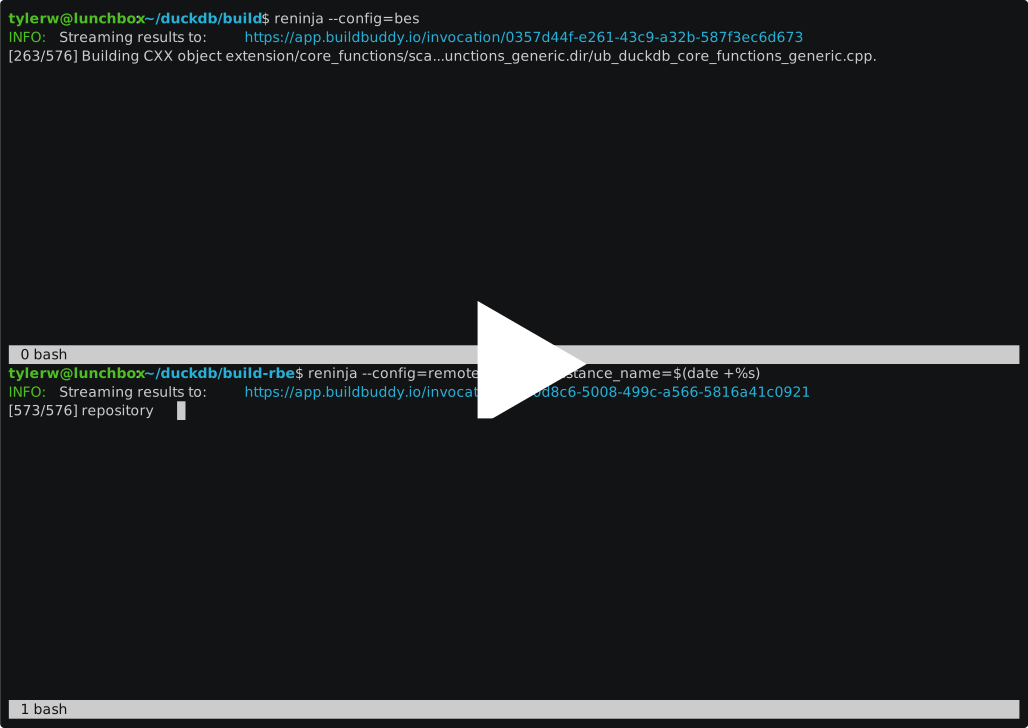
Here's an example of using ninja with remote execution to build duckdb (a small to mid-size c++ project configured with cmake):
Clone the repo:
  cd ~/
  git clone https://github.com/duckdb/duckdb.git --depth=1
  mkdir -p ~/duckdb/build-rbe
Configure it with cmake (against a docker image):
  docker run --rm \
      --user "$(id -u):$(id -g)" \
	  -v "$HOME/duckdb:$HOME/duckdb" \
	  -v "$(which ninja):/usr/local/bin/ninja:ro" \
	  -w "$HOME/duckdb/build-rbe" \
	  gcr.io/flame-public/rbe-ubuntu22-04:ninja \
	  cmake -G Ninja -DCMAKE_SUPPRESS_REGENERATION=ON $HOME/duckdb
Run the build using remote execution:
  cd ~/duckdb/build-rbe
  reninja --bes_backend=remote.buildbuddy.io \
	  --results_url=https://app.buildbuddy.io/invocation \
	  --remote_executor=remote.buildbuddy.io \
	  --container_image=gcr.io/flame-public/rbe-ubuntu22-04:ninja \
	  --remote_header=x-buildbuddy-api-key=YOUR_API_KEY_HERE \
	  -j 2000
Run the unit tests inside the container:
  docker run --rm \
      --user "$(id -u):$(id -g)" \
      -v "$HOME/duckdb:$HOME/duckdb" \
      -w "$HOME/duckdb/build-rbe" \
      gcr.io/flame-public/rbe-ubuntu22-04:ninja \
$HOME/duckdb/build-rbe/test/unittestIs this just another AI slop project? No!
Reninja was born from a bet (could AI do this?) but since the initial version I have re-written each file by hand in go. I have occasionally relied on claude to port unit tests, but only after writing several examples myself would I then ask it to port more tests following my lead.
Some other BES, remote caching, and remote execution libraries were borrowed from BuildBuddy and lightly modified to be suitable for Reninja.